01Package inventory
Start with the binary.
Open an authorized IPA, inspect its contents, and select the executable you want to understand.
Explore the workflowNative macOS · Static analysis
Explore Apple application binaries.
Follow the code. Recover what the evidence supports.
Version 0.1.0 · macOS 14+ on Apple Silicon
Evidence stays visible.
Uncertainty stays explicit.
A closer look
Move from package contents to instructions and supported pseudocode, with the underlying evidence in reach.
Open an authorized IPA, inspect its contents, and select the executable you want to understand.
Explore the workflowExplore ARM64 and ARM64e disassembly, browse function candidates, and follow resolved control-flow targets.
See the current scopeInspect recovered Swift declarations and request approximate Swift-like pseudocode for supported functions.
Understand the evidenceInside the workspace
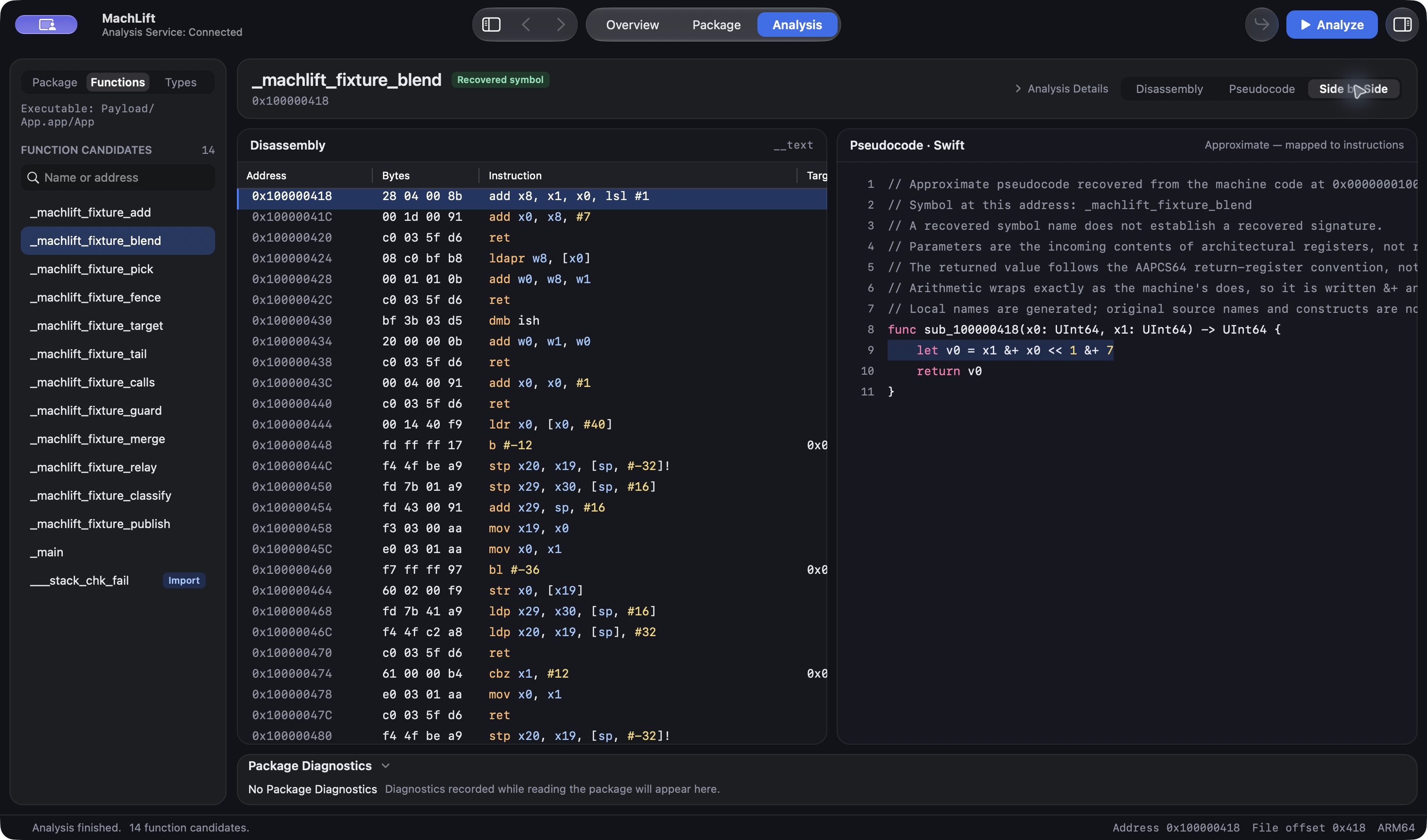
Real captures from MachLift, analyzing a controlled ARM64 test fixture. Disassembly and approximate Swift-like pseudocode share the same function view.
01 / Arithmetic
02 / Control flow
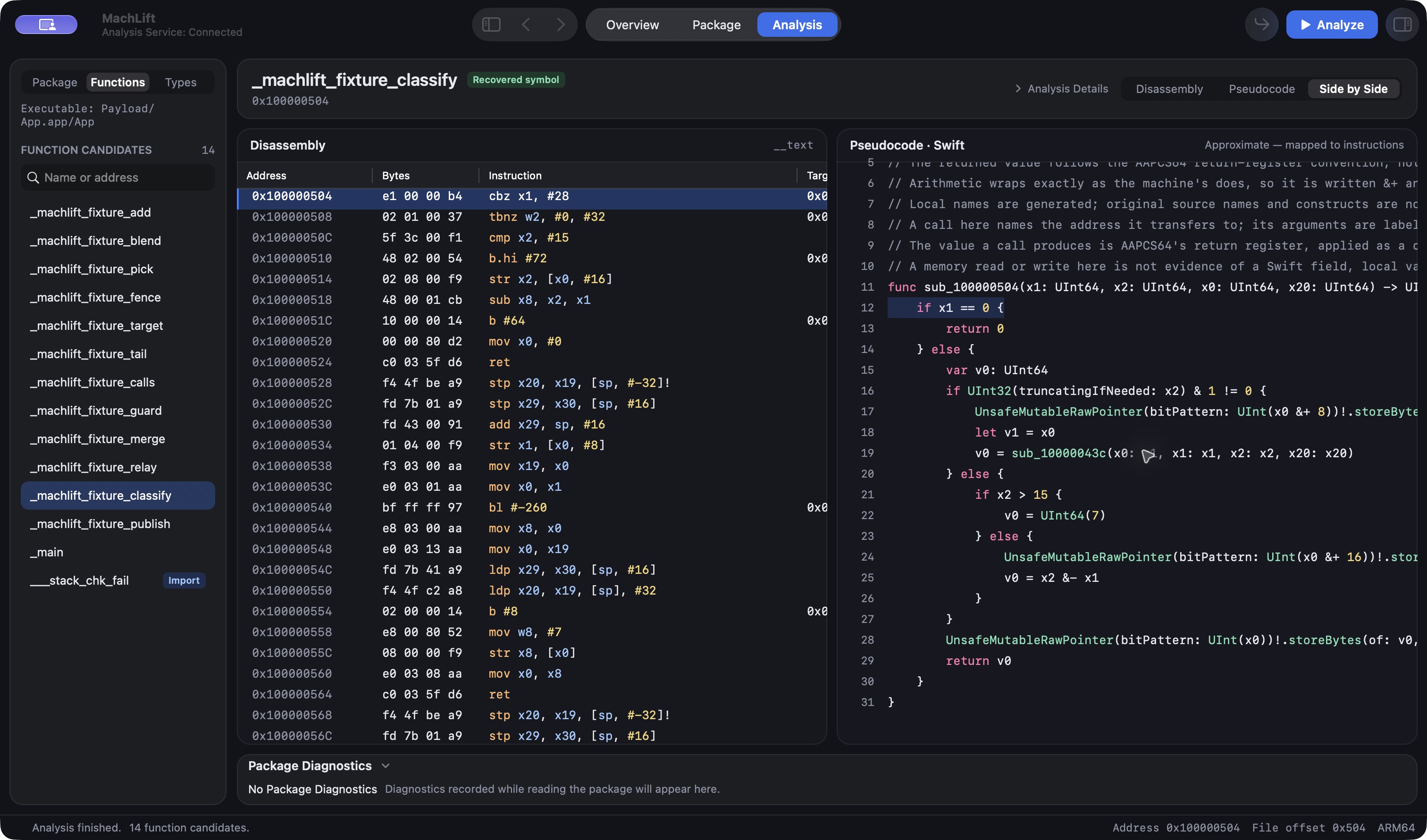
The demo was compiled from C for ARM64/macOS and packaged in an IPA-shaped archive. These examples show approximate output, with generated names and explicit assumptions.
Read the code walkthroughMachLift for Mac
A native workspace for exploring the code.
Download MachLift and start with an authorized IPA.
Notarized by Apple
Compare the file’s SHA-256 with this value:
84ede75252e178e32109cc2bf16adc9adca5294bd89cc62cbaa5802933c942f2Download checksum fileA deliberate approach
Compiled code rarely tells the whole story. MachLift keeps approximate recovery, unsupported cases, and unresolved destinations explicit.
How to read the resultsA decoded instruction, a symbol, and an inferred function tell you different things.
Readable pseudocode helps analysis. It does not promise the original Swift source.
Inspect the disassembly and use address mappings to examine supported recovered output.
The knowledge base
Start with the requirements, explore the workflow,
and learn what the current analysis can tell you.